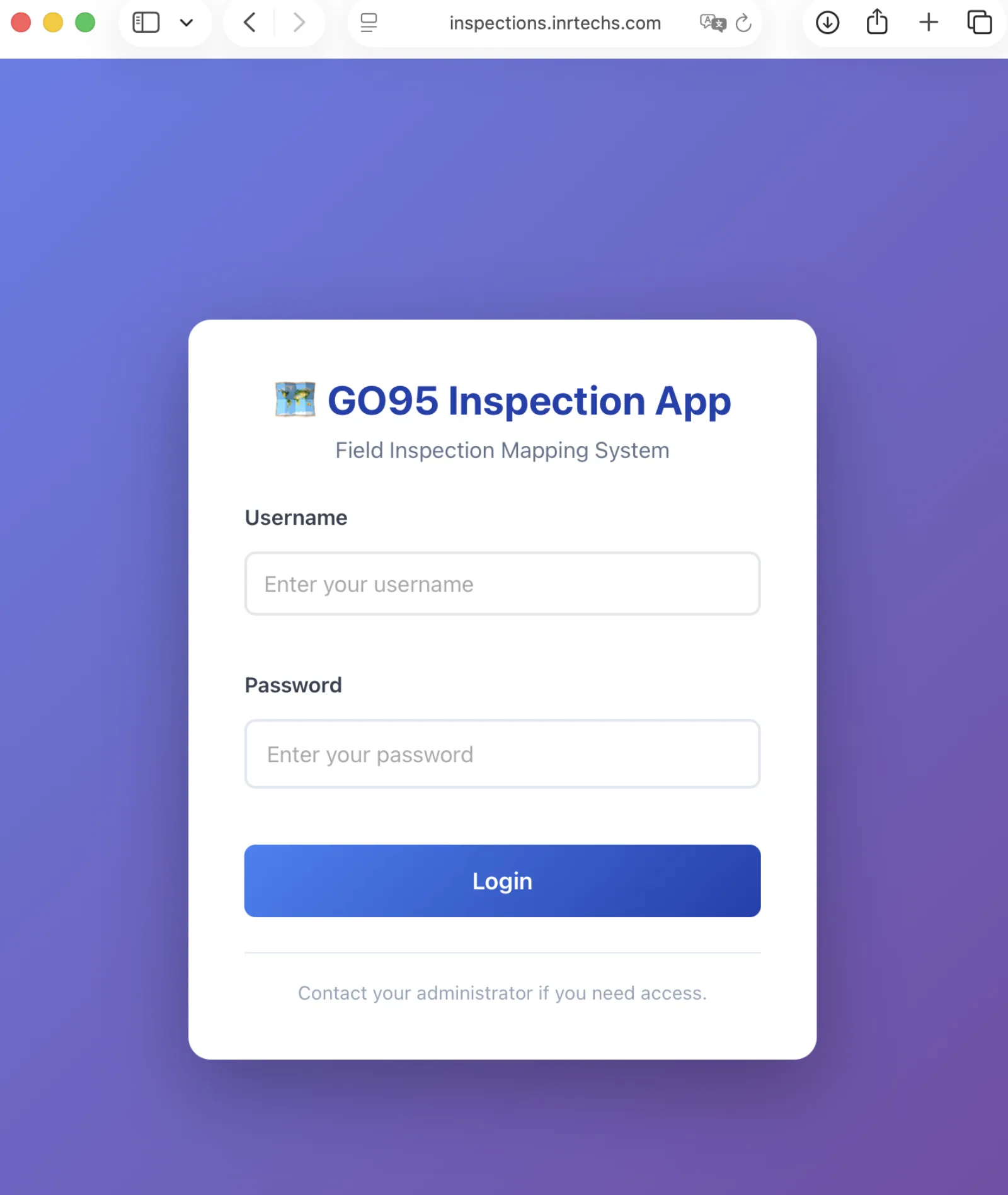
The GO95 Inspection App standardizes and automates every step of utility pole inspection — routing, time tracking, data capture, and live reporting — into a single mapping platform managing 188,000+ inspections across California's high‑fire‑threat districts.
Utility inspectors in the field were juggling printed maps, paper sign‑in sheets, separate data‑entry portals, and fragmented reporting tools. Production was invisible until end‑of‑week. Routes were guessed. Data quality varied by inspector. Compliance audits were reactive.
Routing in Google Maps, data in Zoho, hours in a separate timesheet, reports in Excel — six tools per inspector, none of them talking to each other.
Program managers found out about delays days late. There was no way to see who was working, where, or how production was tracking against the GO95 deadline.
Inspectors decided their own daily routes, often driving past dozens of poles to reach an assignment in the wrong order — costing hours of windshield time per crew, per day.
A single web + mobile PWA that an inspector logs into in the morning and stays in until end of day — handling everything from "where do I go next?" to "submit the inspection." Every action is captured, time‑stamped, and rolled up into live dashboards for program managers.
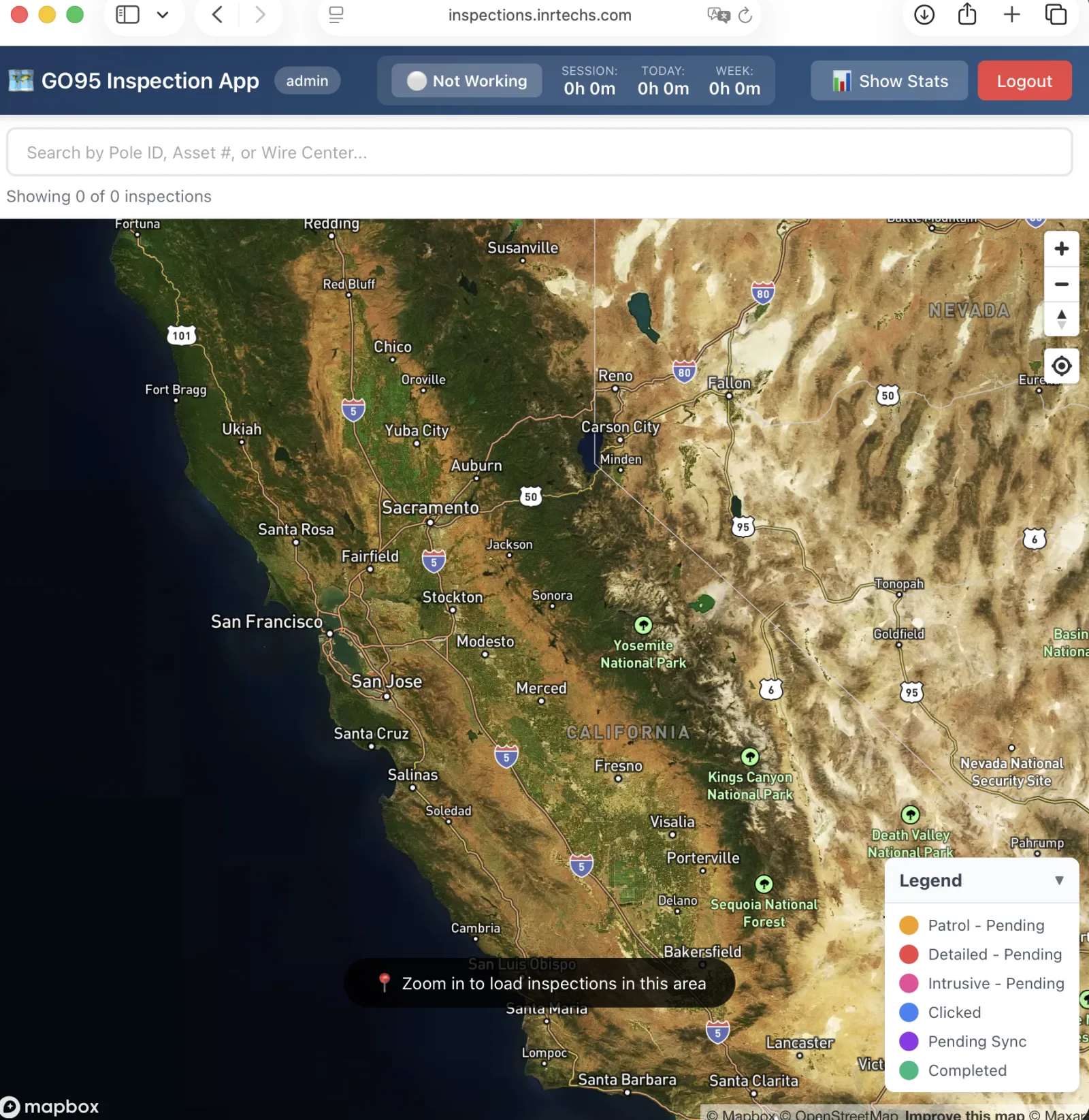
Mapbox‑powered map of every assigned pole, color‑coded by status, fire tier, and inspection type.
Zoho Creator forms launched in‑context with pre‑filled asset data and an auto‑generated Map ID.
Automatic clock‑in/out, GO95‑compliant 8‑hour daily caps, stuck‑session protection, and per‑inspector hour reports.
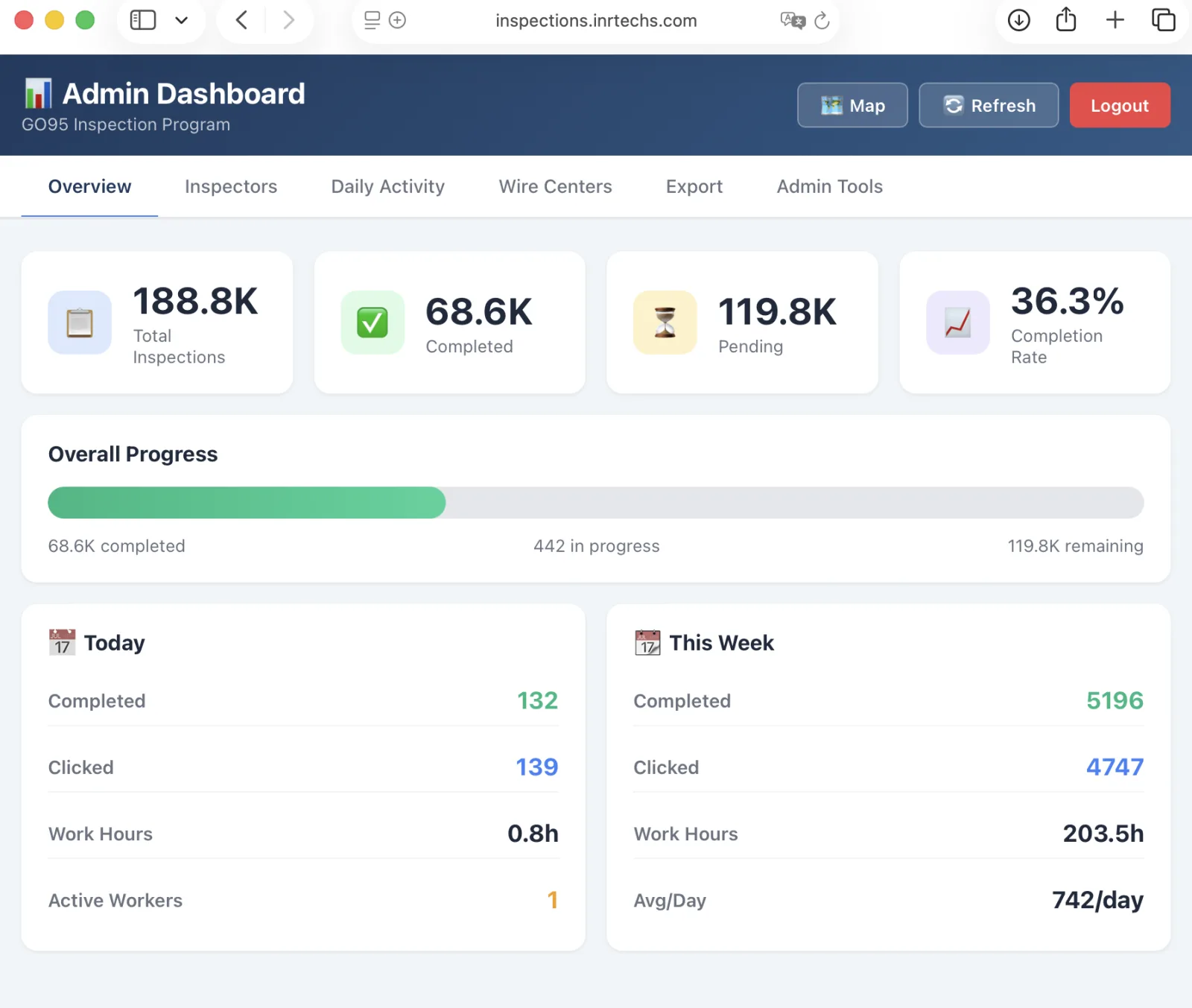
Real‑time dashboards: completion rate, daily activity, per‑inspector throughput, wire‑center progress.
A high‑performance Mapbox view that renders 122,000+ active inspection points across California — clustered intelligently as you zoom out, fully interactive when you zoom in. Inspectors see only their assigned work; admins see the entire program.
Every marker reflects live inspection state. As an inspector taps an asset, generates a Map ID, completes the form, and the record syncs to Zoho — the marker color changes in real time across every screen, including the program manager's dashboard.
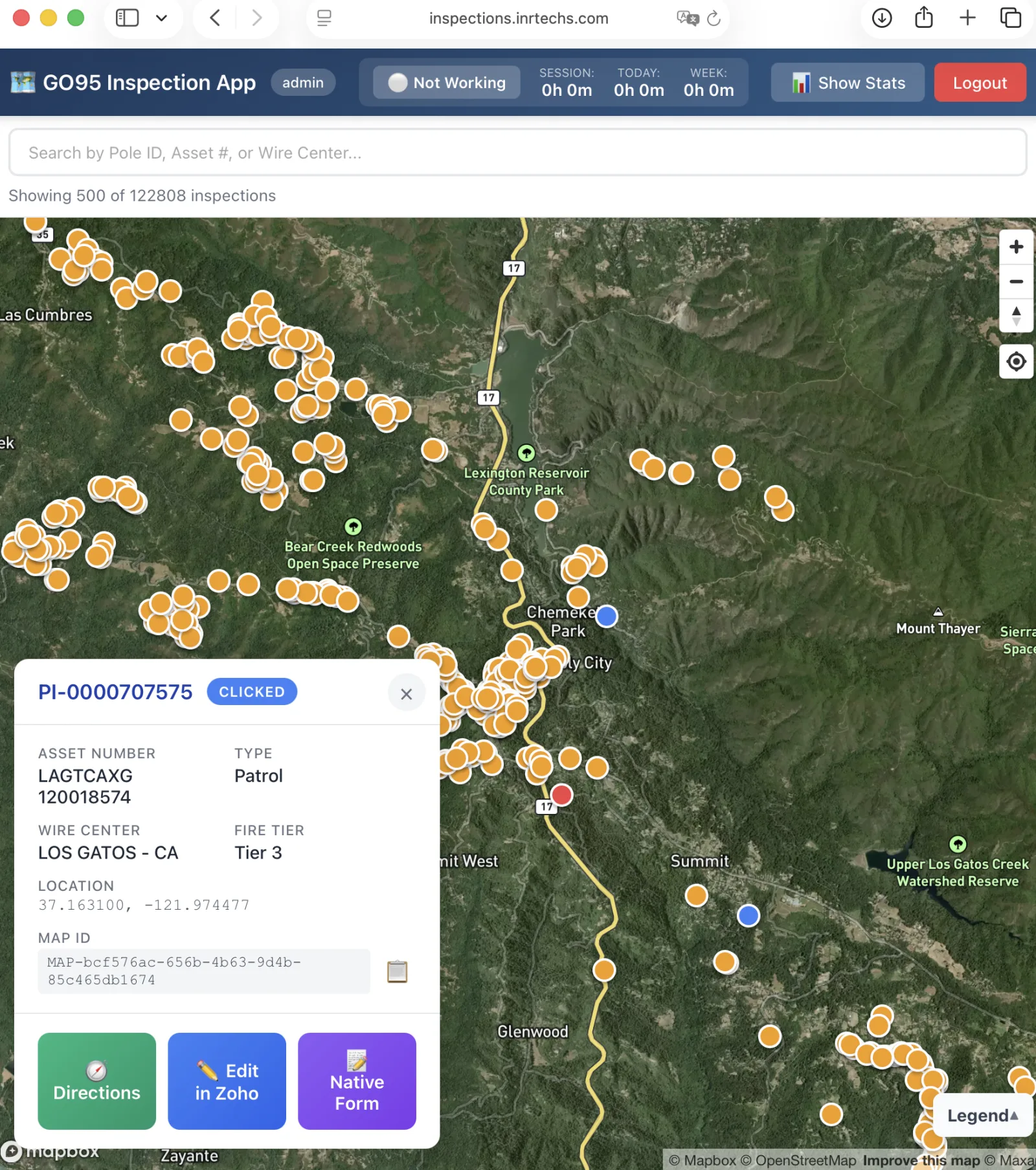
The inspection popup consolidates everything an inspector needs in the field: pole metadata, GPS, fire tier, the asset record — and three action buttons that handle 95% of field work.
The popup loads asset details, fire tier, GPS coordinates, and any prior inspection state.
A unique MAP‑bcf376ac… identifier is created and threaded into every downstream record.
Directions for navigation · Edit in Zoho opens the pre‑filled Creator form · Native Form for offline‑capable inline capture.
Status updates everywhere instantly. The marker turns green. The dashboard increments. No double‑entry.
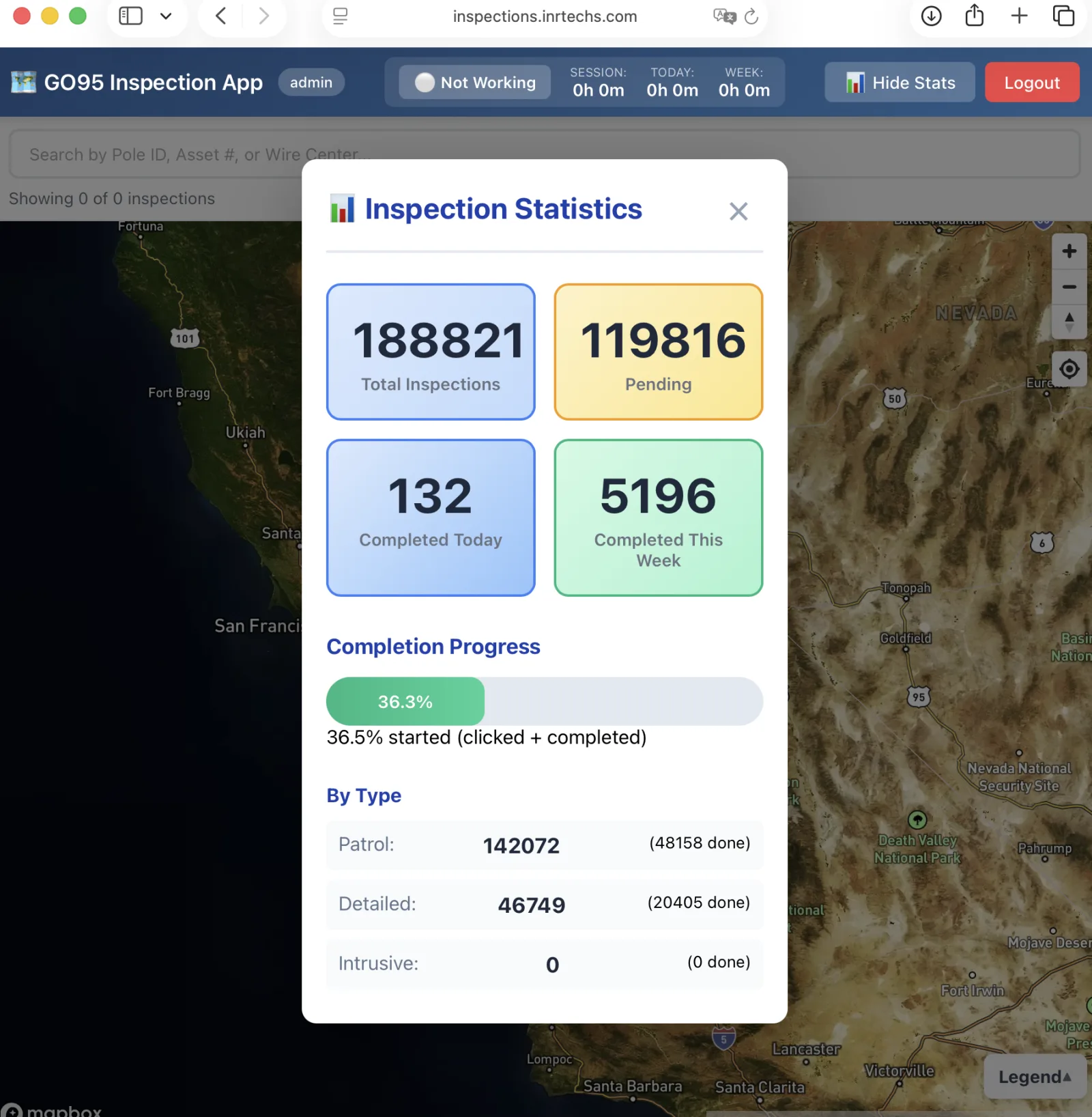
A one‑click stats panel surfaces totals, completion progress, and breakdown by inspection type. No more waiting for a Friday email to know where you stand against your assigned book.
A purpose‑built admin console that turns 188K rolling records into the four numbers an operations manager actually needs to make decisions: today's production, this week's pace, who's working, and what's left.
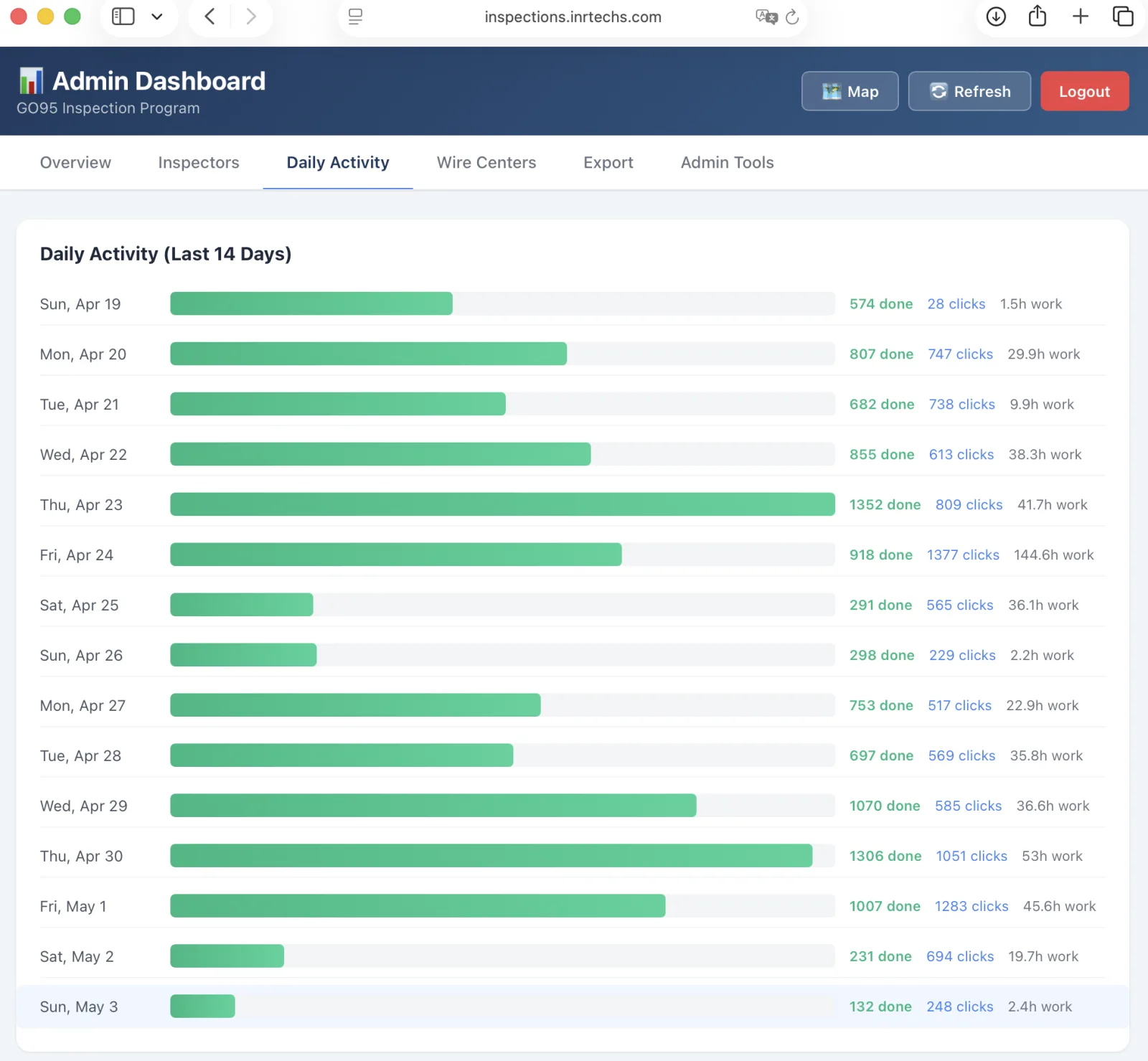
A horizontal bar view of the last two weeks: completed inspections, marker clicks (work in progress), and total work hours per day. The shape of the chart tells the story — Tuesdays are heavy, Sundays are light, and a slow week shows up before the deadline does.
JWT‑secured authentication with role‑based access and automatic enforcement of regulatory limits. The platform treats time tracking as a first‑class concern, not an afterthought layered on top of a pre‑existing app.
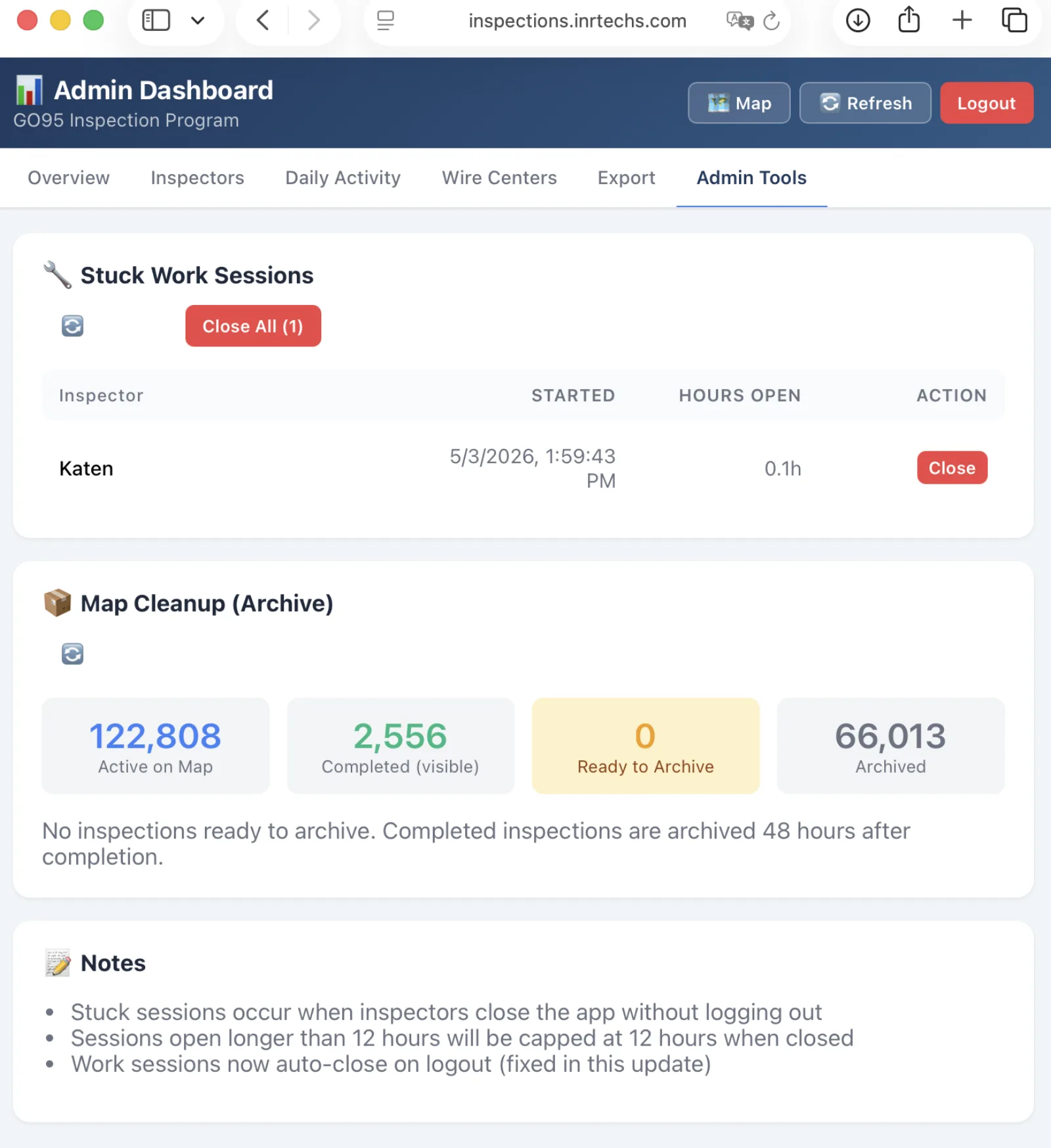
Real field deployments are messy: inspectors close the app without logging out, devices die in the field, sessions go stale. The platform's Admin Tools tab handles those edge cases without involving a developer.
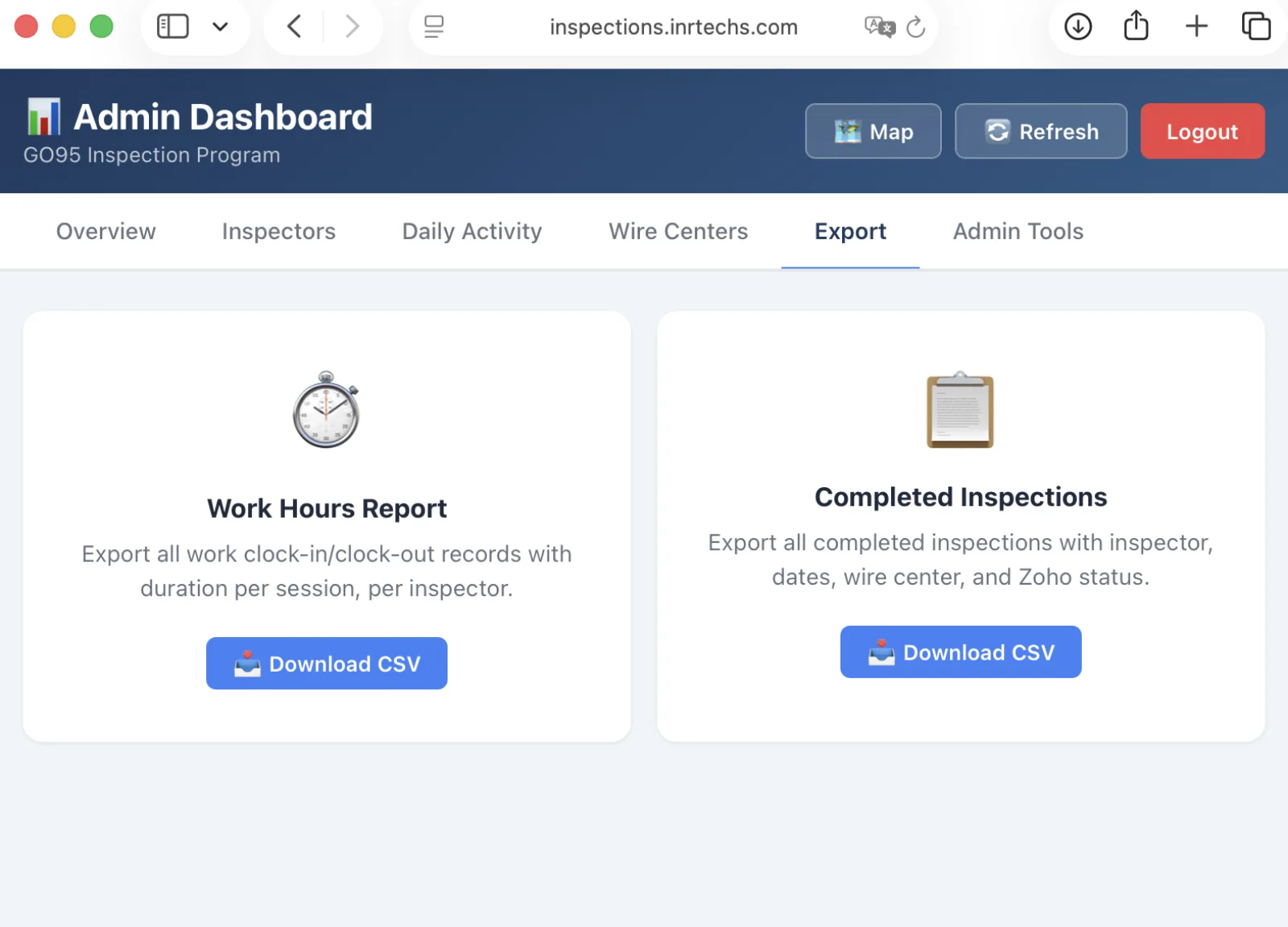
Two CSV exports cover virtually every recurring reporting need: a per‑inspector hours roll‑up for payroll and program billing, and a full inspection record dump for QA, GO95 audits, and executive reporting.
Built to be deployed once and run for the full GO95 program cycle without operator intervention. Every component was chosen for the same reason: it should keep working when there's a 4G cell tower involved.
React PWA · Mapbox GL JS · service‑worker caching · "add to home screen" install
Node.js + Express · JWT auth · role‑based middleware · stateless API
PostgreSQL + PostGIS · 188K spatial records · CSV ingestion pipeline
AWS Elastic Beanstalk · custom .platform hooks · Route 53 + ACM TLS
Live numbers from the active production deployment as of May 2026.
I build operations software for utilities, contractors, and field‑services teams — the kind of tools where "production grade" means "works on a 4G hotspot in the foothills." If that sounds familiar, I'd love to talk.